
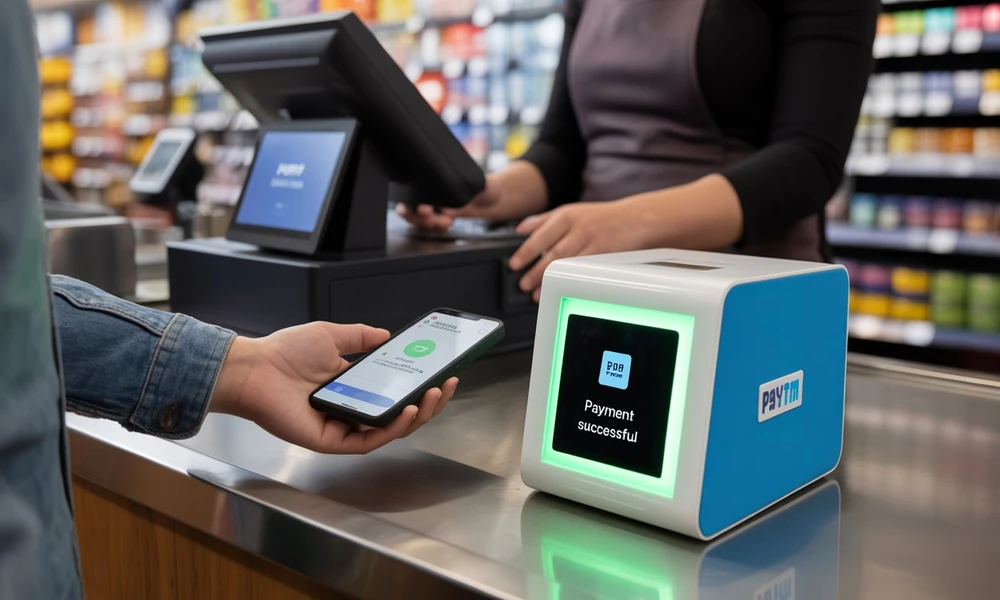
Digital payments have become common across small shops, cafés, pharmacies, restaurants and other customer-facing businesses. While QR-based payments can make checkout faster, merchants still need a reliable way to know whether a payment has actually been received.
Audio payment alerts can improve this experience by giving merchants an immediate spoken confirmation after a successful transaction. Instead of repeatedly checking a phone screen, staff can hear the payment status while continuing to serve customers.
For busy stores, this can reduce uncertainty at the counter and make the payment process feel smoother for both merchants and customers.
Payment Confirmation Can Be A Small But Important Problem
A customer may complete a digital payment within seconds, but the merchant still needs to confirm that the transaction was successful.
In a quiet store, checking the merchant app may be easy.
During busy periods, however, the cashier may be handling several customers at once.
Repeatedly unlocking a phone and searching for the latest transaction can slow down the checkout process.
An audio alert can provide another confirmation channel without requiring the merchant to stop what they are doing.
The Customer Experience Becomes More Natural
Customers often wait for the merchant to confirm payment before leaving the counter.
If the merchant takes time to check the transaction manually, there may be an awkward pause.
An audio alert can reduce this waiting period.
Once the payment is successfully confirmed through the supported system, both the customer and merchant can move to the next step more quickly.
This can be particularly useful in stores with frequent low-value transactions.
Where Audio Alerts Can Be Most Useful
Audio payment confirmation can be particularly helpful in businesses where transaction volume is high.
Examples may include:
- Grocery and convenience stores
- Tea shops and cafés
- Pharmacies
- Restaurants
- Street-food counters
- Salons
- Local retail outlets
- Service counters
In these environments, staff may not have time to review every payment manually.
A spoken confirmation can support a faster payment flow.
Faster Confirmation Can Help Reduce Queue Time
Even a few extra seconds per customer can create longer queues during peak periods.
When staff repeatedly check a mobile screen for payment confirmation, the delay can add up.
Audio alerts can help reduce this friction by confirming successful payments immediately through sound.
This does not mean merchants should ignore transaction records.
Instead, audio confirmation can support the live checkout process while the digital record remains available for later review.
Useful During Multi-Tasking
Many small-business owners perform several roles at once.
The same person may handle billing, packaging, customer questions and payment collection.
In such situations, visual confirmation is not always convenient.
A merchant using a soundbox app or related audio-payment setup may be able to hear transaction confirmation while continuing other counter activities.
The exact functionality depends on the product and service being used, so merchants should review available features before relying on any specific setup.
Audio Alerts Can Reduce Dependence On Customer Screens
Sometimes customers show their phone screen after completing a payment.
Merchants should not rely only on the customer’s displayed confirmation.
A screenshot or payment-success screen does not necessarily replace verification through the merchant’s own transaction system.
Audio alerts can give merchants an additional confirmation from their side of the payment process.
The merchant should still ensure that the audio notification corresponds to the expected transaction.
Payment Amount Announcements Can Add Clarity
Some audio systems may announce the amount received.
This can make it easier for staff to confirm whether the transaction matches the bill.
For example, if the total is ₹540 and the audio confirmation announces ₹540, the cashier receives immediate feedback.
If the amount does not match, the transaction can be reviewed before the customer leaves.
This additional clarity can be useful when several payments occur close together.
Busy Counters Benefit From Hands-Free Confirmation
The strongest benefit of audio alerts is often hands-free payment confirmation.
A cashier may be scanning products, preparing a package or serving the next customer.
A spoken alert allows the payment process to continue without requiring constant interaction with a mobile device.
This can make checkout more efficient.
For businesses with only one or two staff members, reducing even small repetitive tasks can improve overall workflow.
Audio Does Not Replace Transaction Records
Audio confirmation is useful during the transaction, but merchants still need digital records.
Payment history can support:
- End-of-day reconciliation
- Refund reviews
- Settlement checks
- Accounting
- Transaction disputes
- Business performance analysis
A spoken message provides convenience in the moment.
The transaction record provides documentation afterward.
Both can serve different purposes.
Store Noise Should Be Considered
An audio-payment system may work differently depending on the environment.
A quiet boutique and a busy restaurant can have very different noise levels.
Merchants should ensure that alerts are audible enough to be useful without becoming disruptive.
The ideal volume should allow staff to hear payment confirmation while keeping the customer experience comfortable.
Placement of the device can also affect how clearly alerts are heard.
Multiple Payments Can Require Extra Attention
Busy stores may receive several digital payments within a short period.
In these situations, merchants should pay attention to both the amount announced and the transaction record.
If two customers make similar-value payments at nearly the same time, relying only on sound may create confusion.
Audio alerts work best when combined with a clear billing and payment process.
Staff should know which customer and invoice each payment corresponds to.
Staff Training Can Improve Accuracy
Employees should understand what an audio alert means and what it does not mean.
A payment sound should indicate a transaction recorded through the supported system, but staff should still know how to check the merchant app when something appears unusual.
Training can cover how to respond when no alert is received, when the announced amount differs from the bill or when a customer claims to have paid successfully.
Clear procedures can reduce uncertainty during busy periods.
What To Do When No Alert Is Heard
An absent audio notification should not automatically mean that the payment failed.
There may be connectivity, device or notification issues.
The merchant should verify the payment through the official transaction history before asking the customer to pay again.
This is important because requesting a second payment without checking could create a duplicate transaction.
Audio should support verification, not replace it entirely.
Connectivity Can Affect The Experience
Digital payment tools depend on network availability.
Poor connectivity can sometimes delay notifications or transaction updates.
Businesses should have a simple fallback process for these situations.
For example, staff can check the merchant application’s transaction history when an alert does not arrive as expected.
Merchants should avoid making assumptions about transaction status based only on sound.
The official payment record remains important.
Device Placement Matters
An audio-payment device should be placed where staff can hear it clearly.
If it is too far from the counter or hidden behind other equipment, the notification may be missed.
At the same time, it should not block the billing area or create clutter.
A practical placement near the payment counter can help the alert serve its intended purpose.
Businesses should also protect the device from accidental damage.
Audio Alerts Can Support Fraud Awareness
Merchants can sometimes face situations where a customer displays a misleading payment screen.
A merchant-side audio confirmation can reduce dependence on what appears on the customer’s device.
However, audio alone should not be treated as a complete fraud-prevention system.
If something looks suspicious, the merchant should verify the transaction in the official merchant account.
The most reliable approach combines merchant-side confirmation with proper transaction records.
End-Of-Day Review Still Matters
Even if every payment is announced during the day, merchants should still review total collections.
The end-of-day process can compare billing records with digital transaction history.
This helps identify any mismatches, refunds or incomplete transactions.
Audio alerts improve real-time operations.
Reconciliation improves financial accuracy.
Using both creates a more complete payment-management process.
Customer Privacy Should Be Considered
If audio notifications announce transaction amounts publicly, merchants should consider the surrounding environment.
In some businesses, customers may prefer greater privacy.
The audio level should be appropriate for the counter area rather than unnecessarily loud across the entire premises.
The goal is to help staff confirm payments without exposing more transaction information than necessary.
Audio Alerts Can Improve Staff Confidence
Payment uncertainty can create stress for staff, particularly during peak periods.
A clear audio confirmation can give employees immediate reassurance that the expected payment has been recorded.
This can allow them to move on to the next customer more confidently.
The benefit is operational rather than financial.
The alert does not guarantee that every payment issue disappears, but it can simplify routine confirmation.
The Best Setup Fits The Store Workflow
Not every merchant needs the same payment setup.
A small store with a few daily digital transactions may be comfortable checking a mobile app.
A high-volume outlet may benefit more from audio confirmation.
The decision depends on transaction volume, staff count, store noise and checkout speed.
Businesses should select tools based on genuine operating needs rather than simply adding more devices.
Conclusion
Audio payment alerts can improve the in-store payment experience by making transaction confirmation faster and reducing the need for repeated screen checks. They can be especially useful at busy counters where staff need to handle billing, packaging and customer service at the same time.
Merchants should still review transaction records, settlements and payment amounts rather than relying only on sound. Staff training, suitable device placement and a clear fallback process can make audio confirmation more effective.
For businesses looking for a broader digital payment solution, audio alerts can work alongside QR collections, transaction records and merchant payment tools to create a smoother checkout workflow.
FAQs
What Is An Audio Payment Alert?
An audio payment alert provides spoken confirmation when a supported digital transaction is successfully recorded.
Can Audio Alerts Help Reduce Checkout Time?
Yes, they can reduce repeated phone checks and help staff confirm payments more quickly during busy periods.
Should Merchants Rely Only On Audio Confirmation?
No, merchants should still verify transaction records when necessary and reconcile payments regularly.
What Should A Merchant Do If No Payment Alert Is Heard?
The merchant should check the official transaction history before asking the customer to make another payment.
Are Audio Payment Alerts Useful For Small Shops?
Yes, they can be useful for small shops with frequent digital transactions, especially when staff handle multiple tasks at the counter.